Recommended
Microsoft Store
The easiest way. Signed by Microsoft and installed in one click.

The toolbox
38 utilities across five categories, in one window, with search. Nothing to set up per tool, and nothing fetched at runtime.
Reformat, convert, compare and clean up text and structured data.
Produce hashes, IDs, test data, QR codes and icon sets.
Inspect tokens and certificates, and create keys, without pasting secrets into a website.
Work with HTTP requests, URLs, subnets, schedules and environment files.
Convert timestamps, numbers and colors, and look inside images and binary files.
Sensitive by nature
Tokens, private keys, .env files and production logs are exactly what you shouldn't hand to an online tool. In AirToolkit they're processed on your device and stay there.
Pasting a real token into a website is a security incident waiting to happen.
Inspect internal or customer certificates without uploading them.
The private key is created on your device and never leaves it, unlike online CSR generators.
.env files are full of secrets. Comparing them online is never acceptable.
Logs are exactly the kind of data that must not leave a locked-down machine.
Copied cURL commands usually include cookies and auth headers.
This came out of a real need, not a feature checklist.
# block all outbound traffic
$app = (Get-Process AirToolkit -ErrorAction Stop)[0].Path

New-NetFirewallRule `
  -DisplayName "Block-AirToolkit" `
  -Direction Outbound `
-Program $app -Action BlockInternet-restricted machines at security- and access-control-focused companies are common. Pulling up a browser-based JSON formatter or regex tester simply isn't an option there.
Most sites claiming to be offline-friendly still ship analytics, font CDNs, or update checks — which fail loudly, or silently phone home, the moment they're blocked.
AirToolkit makes zero network calls of its own: no telemetry, no auto-update, no phone-home. The one exception — the API Request Tester — is opt-in and documented.
Verifiable
"Zero network calls" is a claim you can check yourself, from the source code down to the operating system.
Search the source for every network API. The only match should be the API Request Tester.
Block the app's outbound traffic in Windows Firewall and keep working. Only the API Request Tester is affected.
# frontend
$ rg -n \
  "fetch\(|XMLHttpRequest|WebSocket|EventSource|sendBeacon" \
  src/
src/pages/ApiTester.tsx # the one documented exception

# rust side
$ rg -n "reqwest|TcpStream|UdpSocket" src-tauri/src/
# no matches▍Grab the Windows installer — no account, no license key, no internet connection required to run it.
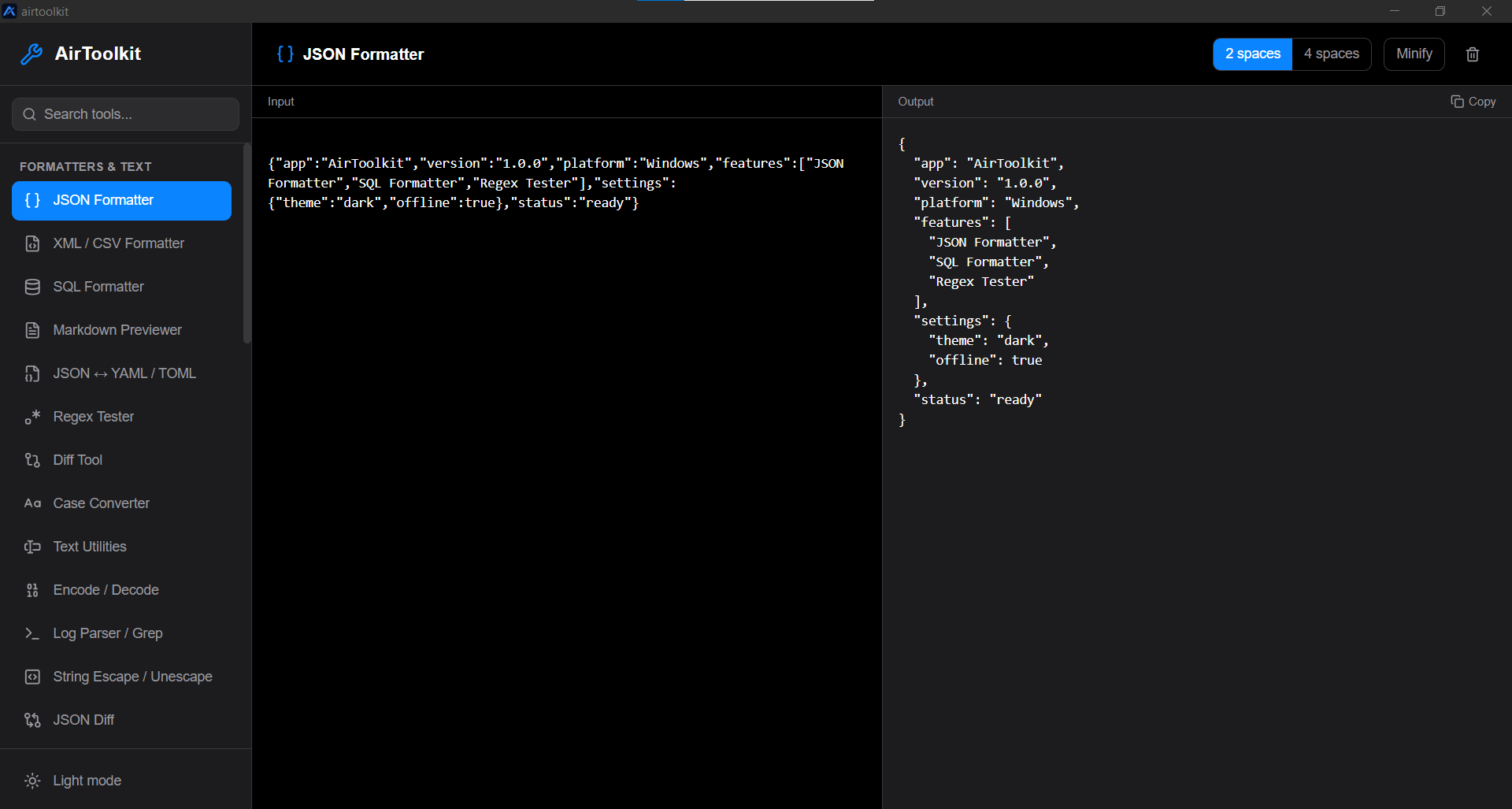
38 tools organized into five categories, with search. Everything runs locally in the same window.
Block the app at the firewall and keep working — every tool except the API Request Tester keeps functioning normally.
Install
All three install the same app. None of them needs an account or a license key.
The easiest way. Signed by Microsoft and installed in one click.
For machines without Store access. Download it once, then copy it onto the offline machine.
For IT teams deploying with Group Policy or SCCM.
Windows 10 (version 1809) or later, 64-bit. Free and open source under the MIT license.
Yes, with one documented exception: the API Request Tester, whose entire purpose is sending a request you compose on demand. Every other tool never touches the network. See the Security page for exactly how this is checked.
No. Once you have the installer, setup and every tool work fully offline — no account, no license server, no update check.
Windows, built with Tauri. It was built specifically for locked-down Windows VMs, which is the primary target today. Install it from the Microsoft Store, or download the installer from GitHub for offline machines.
Yes — the full source is on GitHub. You're welcome to read it, audit it, or build it yourself instead of trusting a packaged binary.

38 developer tools that keep working when the internet doesn't. Free, open source, and on the Microsoft Store.